
SOLIDWORKS xDesign | SOLIDWORKS in the Cloud
No. 1 Official Distributor in Iberia
Portada » Engineering » SOLIDWORKS xDesign
What is SOLIDWORKS xDesign?
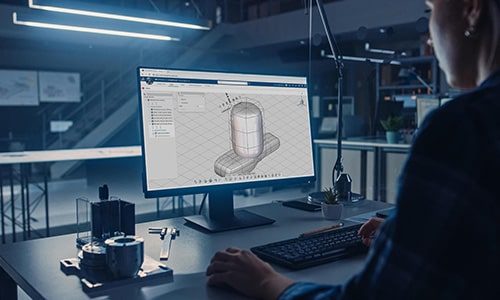
SOLIDWORKS xDesign, formerly SOLIDWORKS Cloud, is a collection of powerful, next-generation design and collaboration tools that are 100% cloud-based, enabling designers and engineers to work from anywhere and on any device via a web browser. This allows them to reduce IT costs and manage all their files securely and efficiently.
Key Benefits of SOLIDWORKS xDesign

Access from anywhere and on any device
Work anytime, anywhere. All you need is a web browser—no software installation required.

Advanced design tools
It includes state-of-the-art applications such as 3D Creator (xDesign) and 3D Sculptor (xShape) for parametric design and free-form modeling.

Centralized data management
Store, manage, and share files securely in the cloud, avoiding version conflicts and data loss.

Security and automatic updates
Advanced data protection and immediate access to the latest updates without any interruptions.

How does SOLIDWORKS xDesign work?
SOLIDWORKS xDesign operates on the 3DEXPERIENCE® collaborative platform from Dassault Systèmes, the parent company of SOLIDWORKS.
The 3DEXPERIENCE® platform integrates hundreds of design, simulation, data management, and collaboration tools into a single digital environment. It enables companies and teams to work on projects in real time, share information securely, and optimize product development processes.
What does SOLIDWORKS xDesign include?
SOLIDWORKS xDesign provides access to select next-generation tools on the 3DEXPERIENCE® platform. Access a suite of innovative solutions that let you design, simulate, and collaborate without limits—all from the cloud.
xDesign | Parametric Design
xShape | Free design
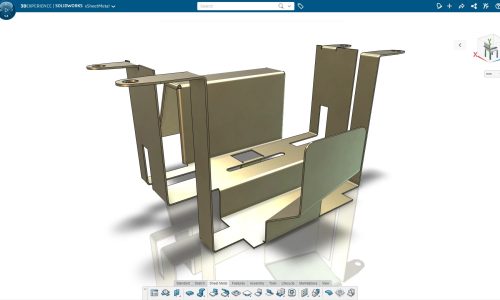
xSheetMetal | Sheet Metal Design
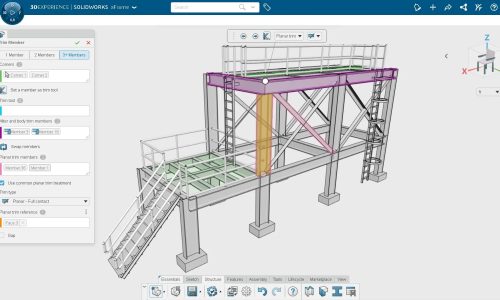
xFrame | Structural Design
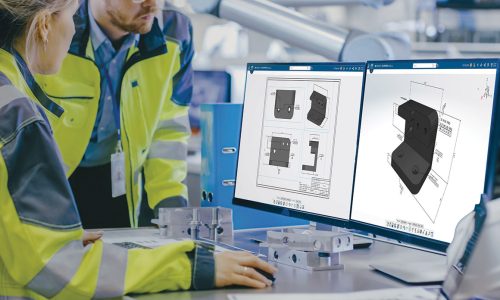
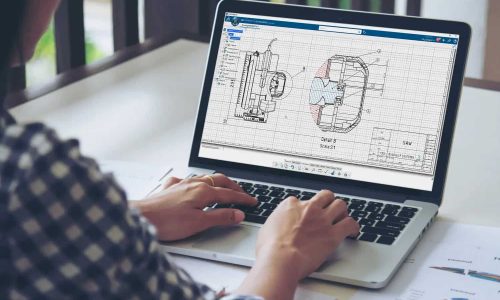
xDrawing | Manufacturing Details
xMold | Mold Design
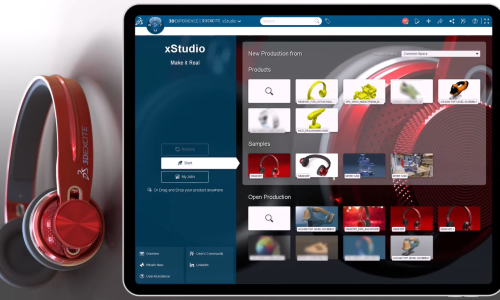
xStudio | Rendering
Collaborative Industry Innovator | Data Management and Lifecycle
3DSwymer | Collaboration
SOLIDWORKS xDesign Applications
xDesign
Create parametric 3D models with xDesign. Design, collaborate, and bring your ideas to life from any device—all in the cloud.
xShape
Bring your ideas to life with xShape. Design organic models and complex surfaces using intuitive cloud-based modeling tools.
xSheetMetal
Design sheet metal parts with folding, cutting, and unfolding functions in the cloud.
xFrame
Software designed for creating structures using standard profiles, automating joints and assemblies.
xDrawing
A solution for defining and documenting manufacturing processes with 3D annotations and technical details.
xStudio
A cloud-based tool for generating photorealistic renders, designed to optimize product visualization.
xMold
An advanced plastic injection molding simulation solution that helps optimize designs, reduce defects, and accelerate development.
Collaborative Industry Innovator
Manage data and projects. Coordinates teams and efficiently oversees the product lifecycle.
3DSwymer
A solution for connectivity, information sharing, and collaborative work within the 3DEXPERIENCE ecosystem.
Why use SOLIDWORKS in the cloud?
Managing data in the cloud with SOLIDWORKS Cloud offers several benefits, which can be summarized as follows:
- Controlling sensitive data is vital for any business, and data management provides complete visibility and control over that data.
- Data management reduces the risk of errors and miscommunication; everyone on the team works with the same data to ensure an efficient engineering workflow.
- Users can access their data 24 hours a day, 7 days a week, anywhere and from any device.
Frequently Asked Questions
What is SOLIDWORKS xDesign and how does it work?
SOLIDWORKS xDesign is a cloud-based solution that allows designers and engineers to work on 3D models, collaborate in real time, and manage projects without the need for on-premises installations.
What are the advantages of using SOLIDWORKS xDesign over the traditional version?
SOLIDWORKS xDesign offers access from any device with an internet connection, real-time collaboration, secure storage, and eliminates the costs associated with high-performance hardware.
Do I need to install any software to use SOLIDWORKS xDesign?
No, SOLIDWORKS xDesign runs entirely in the cloud, with no need for installations or manual updates.
Is SOLIDWORKS xDesign compatible with traditional SOLIDWORKS files?
Yes, you can open, edit, and share standard SOLIDWORKS files without any problems.
How are data security and storage handled in SOLIDWORKS xDesign?
The platform uses the highest standards of encryption and secure cloud storage from Dassault Systèmes, ensuring that information is protected.
Can I collaborate with my team in real time?
Yes, SOLIDWORKS xDesign allows you to share projects, make simultaneous edits, and manage revisions without having to send files.
What are the technical requirements for using SOLIDWORKS xDesign?
All you need is a device with internet access and a compatible browser. No high-end hardware or advanced graphics cards are required.
What tools does SOLIDWORKS xDesign include?
SOLIDWORKS xDesign includes next-generation tools that are 100% cloud-based:
xDesign
xShape
xSheetMetal
xFrame
xDrawing
xStudio
xMold
Collaborative Industry Innovator
3DSwymer
What is the difference between SOLIDWORKS xDesign and SOLIDWORKS Design?
SOLIDWORKS xDesign: This refers to a suite of 100% cloud-based tools within the 3DEXPERIENCE platform that enable users to design, simulate, and collaborate without the need to install software locally. It is designed for users seeking flexibility and collaborative work on any device.
SOLIDWORKS Design: This is a version of SOLIDWORKS that is fully integrated with the 3DEXPERIENCE platform. It includes advanced tools for Design, Data Management, Simulation, Manufacturing, and Marketing. Although it requires installation on the computer, your data and projects are stored and managed in the cloud, facilitating collaboration and ensuring information security.
Next steps
Buy SOLIDWORKS xDesign Online
Got it? Buy SOLIDWORKS xDesign directly from the website.
Ask us for a no-obligation quote
Contact us, and one of our specialists will get in touch to answer all your questions.
Why purchase SOLIDWORKS through Ibernova?

Extensive experience
For more than two decades, our team has been implementing state-of-the-art technology solutions that help boost our clients' efficiency and productivity.

Specialization in Industry
We specialize in improving business development processes for industrial companies. More than 3,500 clients have chosen to implement our solutions.

Full integration
We integrate your systems from engineering all the way to the production floor. We connect your SOLIDWORKS with ERP solutions and MES systems. Work with a single source of truth and eliminate barriers between departments.
More Design Solutions
Contact us
We’re here to help you and answer your questions with complete confidence.
Please enter your question, and we’ll get back to you as soon as possible.